The stones wake up
Loose stones shift, roll and tilt upright on the original patch of ground.
Beach pebbles, forest rocks or garden stones become the building blocks of a tiny fortress. Upload one ground-level photo and watch the stones assemble into walls, gates and towers in the landscape you photographed.
Fixed settings · Seedance 2.5 · silent output. Add music after downloading.
Sign in to generate with your MigosAI credits.
Failed generations are refunded automatically.
 GoEnhance · Third-party reference
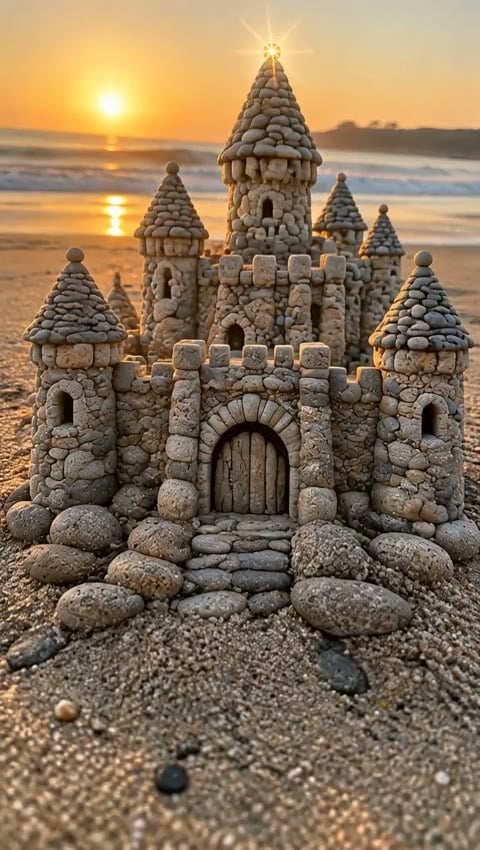
Rounded beach pebbles form a warm stone fortress as waves and the low sun stay in the background.
These external clips are inspiration, not MigosAI-generated results. Your output is 10 seconds and silent; appearance and motion may vary.
The scene begins with the stones already on the ground. They stir and gather into a miniature castle while their colors, textures and surroundings guide the result. A low camera angle keeps the small structure at the center of the story. Explore four reference settings below, then animate your own photo.
Loose stones shift, roll and tilt upright on the original patch of ground.
A foundation and arched entrance appear, followed by walls, towers and pointed roofs.
The camera holds on the completed miniature, framed by the same beach, woodland or garden.
Play a clip to explore the scene, camera and mood. These videos belong to the credited third-party source.
GoEnhance · Third-party referenceRounded beach pebbles form a warm stone fortress as waves and the low sun stay in the background.
 GoEnhance · Third-party reference
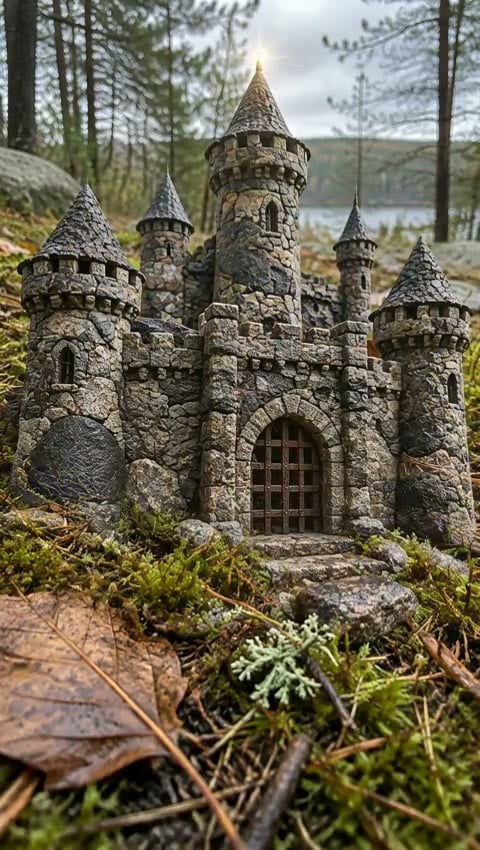
Dark rough stones among moss and fallen leaves assemble into a woodland keep.
 GoEnhance · Third-party reference
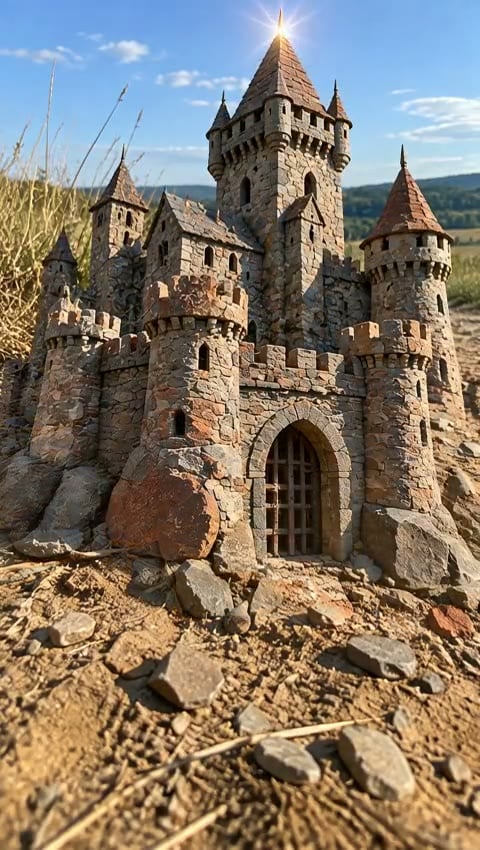
Angular slate on a dry path rises into a tall citadel under an open blue sky.
 GoEnhance · Third-party reference
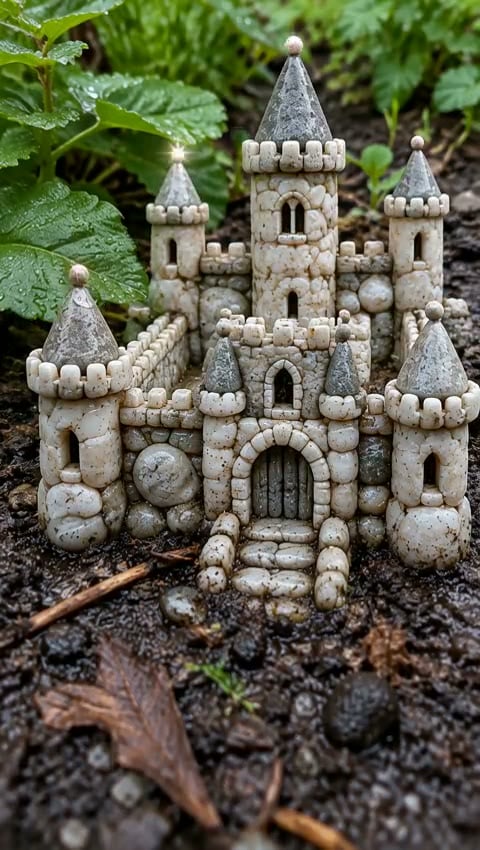
Pale wet pebbles become a small castle surrounded by dark soil and green leaves.
These external clips are inspiration, not MigosAI-generated results. Your output is 10 seconds and silent; appearance and motion may vary.
Use the beach, forest, meadow and garden references for ideas, then take a photo of your own loose stones.
Add your image, confirm permission and review the 10-second vertical settings and displayed credit cost.
Generate and download the silent MP4 from My Videos. Add licensed music, stone sounds or a caption in your editor.
Turn a small discovery on the beach or trail into a magical reveal.
Build a little kingdom around the colors and textures in your own photograph.
Share the progression from scattered stones to a finished fortress on Reels, Shorts or TikTok.
Each video uses 75 MigosAI credits. Get credits
Use a sharp close-up of several loose stones resting on the ground, taken from a low angle with space around them. Pebbles, gravel and small slate pieces work as visual starting points. Leave people and hands out of the frame.
No. Upload one still photo of an existing stone pile. The template guides an automatic build from the ground upward, using the stone material and surroundings in your image. You do not need to write a prompt.
This generator produces a silent 10-second vertical MP4. Castle details, stone motion and background consistency can vary. The four third-party examples are about five seconds long and include audio; they illustrate the idea, not a guaranteed MigosAI result.
MigosAI uses Seedance 2.5 with fixed settings: 10 seconds, 480p, vertical 9:16, no generated audio. Each video costs 75 credits from your existing balance. There is no separate subscription for this effect.
No. The reference videos come from third-party sites. Our version uses independently written scene instructions and your image; it does not copy a private template or transfer the reference soundtrack. Download the silent MP4 and add music you have permission to use.
Credits are automatically returned for a confirmed generation failure. A completed video that differs from your expectations is still a completed generation. A connection error can leave a request pending; retrying the unchanged selection recovers the same request.
Uploads and results are tied to your MigosAI account or guest wallet. The generation provider receives temporary access to the photo to process it. Find completed videos in My Videos; see the Privacy Policy for details.
One photo of a small pile. A castle waiting to take shape.
Create my videoEach video uses 75 MigosAI credits.